
Share the responsibility
Give trusted people clear responsibilities across the care areas where help is needed.
Explore this benefitVeldac Family Care
From arranging a ride to keeping family informed, Family Care brings the details of support together—so your trusted circle can share the work and respect your loved one’s independence.
In private testing · Public availability to be announced
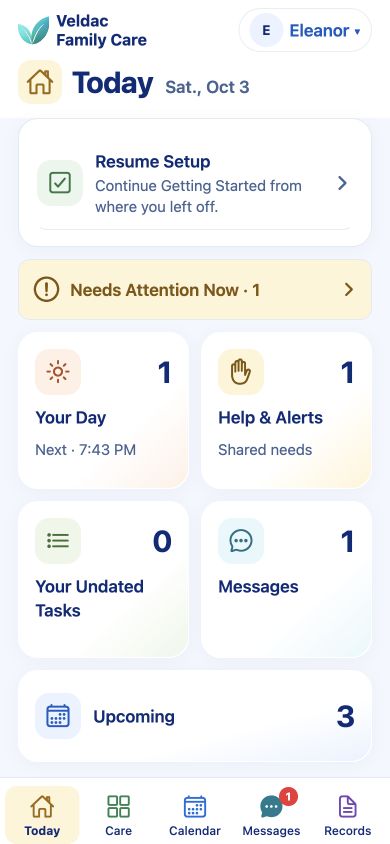
Does this feel familiar?
Choose a situation to see how Family Care can help the people involved coordinate everyday support.
Practical help, shared
Conversations matter. So does knowing who is doing what, when something is happening, and where to find the details.
Give trusted people clear responsibilities across the care areas where help is needed.
Explore this benefitKeep appointments, attendance, transportation, and related tasks organized together.
Explore this benefitOrganize medication information, provider details, documents, and care history in the app.
Explore this benefitStay involved through shared plans, care messages, and responsibilities you can manage remotely.
Explore this benefitChoose support arrangements by care area and decide how the person will participate.
Explore this benefitReview responsibilities and support levels across care areas as circumstances change.
Explore this benefitA person, with their own preferences
Someone may welcome help with transportation while managing other parts of life independently. Family Care lets support differ by care area.
The planned release begins with your loved one’s approval. Adults who can sign for themselves will be able to approve through an emailed browser link, even if they do not use the app.
Explore privacy & control →Different needs. Different arrangements.
Discuss the arrangement together and review it as needs change.
Begin with what matters today
Start with the person’s preferences and one everyday need, such as appointments or shopping.
The planned email approval step must be completed before entering care information.
After approval, invite trusted people and coordinate an appointment or task. These launch workflows are being prepared.
Before you begin
The initial release is intended for adults age 18 or older coordinating support for an adult assisted person who can review and sign for themselves. Minors and representative-signed enrollment are outside the initial release.
Messages support the conversation, while appointments, tasks, care areas, and records give plans and information a place to live. Families can organize responsibilities and find relevant details without relying on the conversation alone.
No app download will be required for approval. The planned launch process requires the assisted person to review and approve through an email link before care information can be entered. App participation afterward is optional.
Family Care organizes medication information and caregiver check-ins. A check-in does not verify that a dose was taken. It is not an emergency monitoring or response service and does not replace professional medical advice.
Family Care is in private testing with fictional information. Outside testing will be free. Public release timing, pricing, and supported devices will be confirmed before launch. Current testers should follow their organizer’s installation and Care Circle invitations.
Explore how to begin, or check the current release status.